Frequently Asked Questions

Legacy Billing Systems & Modernization

What is a legacy billing system?

A legacy billing system is an outdated software platform used for managing billing and invoicing, typically built on older technologies. These systems are often on-premise, difficult to maintain or upgrade, and struggle to integrate with modern tools or support new pricing strategies. They rely heavily on manual processes and are common in industries like telecommunications, utilities, insurance, and established SaaS companies. [Source]

What are the main challenges of using a legacy billing system?

Legacy billing systems present several challenges: lack of flexibility for new pricing models, operational inefficiencies due to manual processes, scalability issues, integration problems with modern tools, and increased security and compliance risks. These issues can lead to higher costs, billing errors, and hindered business growth. [Source]

What are the signs that my business should replace its legacy billing system?

Key indicators include frequent billing errors or customer complaints, inability to support new pricing strategies, high maintenance costs, and difficulty integrating with modern cloud-based tools. If your system can't keep up with business complexity or growth, it's time to consider an upgrade. [Source]

Why do businesses hesitate to migrate from legacy billing systems?

Businesses often fear disruptions during migration, are locked into long-term contracts, or worry about the complexity of switching. However, the ongoing costs and risks of maintaining legacy systems usually outweigh the challenges of migration. [Source]

What industries are most likely to use legacy billing systems?

Industries such as telecommunications, utilities, insurance, and established SaaS companies are most likely to use legacy billing systems due to complex billing needs and the perceived risk of migration. [Source]

How do legacy billing systems impact customer experience?

Legacy systems often result in inconvenient payment processes, frequent errors, and slow response times, leading to customer frustration and increased complaints. Modern billing solutions improve the customer experience with automation, flexibility, and real-time insights. [Source]

What are the risks of maintaining a legacy billing system?

Risks include security vulnerabilities, compliance gaps (e.g., GDPR, ASC 606), operational inefficiencies, and inability to scale or innovate. These can result in fines, reputational damage, and lost revenue. [Source]

How do legacy billing systems affect scalability?

Legacy systems struggle to support high-volume transactions or rapid business growth, limiting your ability to expand globally or adopt new business models. [Source]

What integration challenges do legacy billing systems present?

Legacy systems often can't integrate smoothly with modern CRM, ERP, payment gateways, or customer support platforms, leading to data silos, inefficient workflows, and a disjointed customer experience. [Source]

How do legacy billing systems impact compliance?

Many legacy systems do not meet modern standards for data protection or financial regulations, such as GDPR or ASC 606, exposing businesses to compliance risks and potential fines. [Source]

Zuora Billing as a Modern Solution

Why is Zuora Billing recommended as a replacement for legacy billing systems?

Zuora Billing is a cloud-native, future-ready platform that eliminates costly on-premise infrastructure, supports flexible pricing models, offers seamless integrations, and automates compliance with standards like ASC 606 and IFRS 15. It's trusted by businesses of all sizes for complex billing at scale. [Source]

What pricing models does Zuora Billing support?

Zuora Billing supports a wide range of pricing models, including simple subscriptions, complex usage-based, tiered, and hybrid pricing structures. This flexibility allows businesses to innovate and monetize without relying on developer support. [Source]

How does Zuora Billing help with compliance and automation?

Zuora Billing automates invoicing, payment collection, and revenue recognition, with built-in support for compliance standards like ASC 606 and IFRS 15. This reduces manual work and human error, ensuring audit readiness. [Source]

What integration capabilities does Zuora Billing offer?

Zuora Billing integrates with popular CRM, ERP, tax, and payment platforms, enabling smooth data flow and creating a unified ecosystem that streamlines operations. [Source]

How does Zuora Billing support business growth?

Zuora Billing provides the flexibility, scalability, and intelligence needed to support digital-first billing, real-time analytics, and automation, helping businesses unlock growth after migrating from legacy systems. [Source]

What makes Zuora Billing a future-proof solution?

Zuora Billing is designed to scale with your business, supporting new pricing models, automation, AI-driven analytics, and seamless integrations, ensuring your billing system evolves with market demands. [Source]

How does Zuora Billing improve operational efficiency?

By automating manual processes such as data entry, invoice generation, and reconciliation, Zuora Billing reduces errors, saves time, and allows finance teams to focus on higher-value tasks. [Source]

How does Zuora Billing help with real-time analytics and reporting?

Zuora Billing provides live dashboards, automated revenue recognition, and customizable reports, empowering finance teams to make data-driven decisions and respond quickly to market changes. [Source]

How can I learn more about Zuora Billing?

You can request a demo of Zuora Billing to see how it can replace your legacy system and support your business growth. Request a demo

Features & Capabilities

What features does Zuora offer for subscription businesses?

Zuora provides tools for flexible billing, revenue recognition, global payment management, AI-powered collections, personalized subscription journeys, and integration with over 60 pre-built connectors. It supports recurring, usage-based, and hybrid pricing models, and automates compliance and reporting. [Source]

Does Zuora support integration with other business systems?

Yes, Zuora offers an Integration Hub with over 60 pre-built connectors (e.g., Salesforce, HubSpot, NetSuite), REST and SOAP APIs, warehouse connectors, and support for over 40 payment gateways. [Source]

What APIs does Zuora provide?

Zuora provides REST and SOAP APIs for seamless integration with external systems, supporting common web storefront operations and detailed billing, payment, and subscription management. [Source]

What real-time product performance metrics does Zuora offer?

Zuora provides real-time metrics on profitability, conversion rates, and discounting rates, enabling businesses to respond quickly to market trends, optimize pricing strategies, and improve sales velocity. [Source]

What technical documentation is available for Zuora?

Zuora offers comprehensive technical documentation, including platform docs, developer resources, SDKs, integration guides, and payment gateway documentation. Access these at the Zuora Docs Portal and Developer Center.

Security & Compliance

What security and compliance certifications does Zuora have?

Zuora holds certifications including PCI DSS Level 1, SSAE 16 SOC1 Type II, SOC2 Type II, ISO 27001, HHS HIPAA, and SOC 3, ensuring high standards for data protection and regulatory compliance. [Source]

How does Zuora ensure data security?

Zuora employs enterprise-grade security measures such as data encryption, role-based access controls, regular audits, and built-in compliance features to protect customer data and simplify regulatory adherence. [Source]

Does Zuora support global compliance requirements?

Yes, Zuora supports global compliance, including multi-currency and tax compliance, GDPR, PCI DSS, and SOX, making it easier for businesses to operate internationally. [Source]

Implementation & Support

How long does it take to implement Zuora?

Implementation timelines vary: focused scopes can be completed in as little as 30 days, typical implementations range from 30 to 90 days, and multi-product or multi-entity programs may take several months. Pre-built connectors can enable integrations in as little as one day. [Source]

What support and training resources does Zuora provide?

Zuora offers Quick Start Tutorials, Zuora University (500+ courses and certifications), 24x5 live global support, email and ticketing, premium support options, and a community portal for peer engagement. [Source]

Pain Points & Problems Solved

What core problems does Zuora solve for businesses?

Zuora automates financial close cycles, ensures compliance with ASC 606/IFRS 15, supports diverse pricing models, simplifies global operations, reduces revenue leakage, provides unified reporting, and aligns quote-to-cash processes. [Source]

What pain points do Zuora customers typically face before switching?

Common pain points include slow, manual close cycles, compliance challenges, scaling issues with usage-based models, multi-entity complexity, revenue leakage, poor data quality, spreadsheet dependency, and order-to-cash process breakdowns. [Source]

Use Cases & Customer Success

Who can benefit from using Zuora?

Zuora is designed for subscription-based businesses across industries such as technology, SaaS, media, healthcare, consumer goods, manufacturing, telecommunications, and entertainment. Roles include finance, IT, product, operations, sales, and customer success teams. [Source]

What business impact can customers expect from using Zuora?

Customers can expect recurring revenue growth, operational efficiency, improved retention, faster time-to-market, streamlined financial operations, scalability, and global compliance. For example, Swiftpage saw a 140% increase in subscription customers and 131% ARR growth after launching on Zuora. [Source]

Can you share specific case studies or success stories?

Yes. Zoom scaled from 10 million to 300 million users with Zuora. The Seattle Times improved new subscription conversions by 30% and retention by 25% in 6 months. Hudl saved over 100 hours per month by automating processes. Read more case studies.

What feedback have customers given about Zuora's ease of use?

Customers like Mindflash, TripAdvisor, and Briggs & Stratton have praised Zuora for its flexibility, ease of use, and ability to quickly adapt pricing models and integrate with other systems, resulting in faster revenue capture and improved team morale. [Source]

What industries are represented in Zuora's case studies?

Industries include SaaS, communications, consumer goods, energy, finance, healthcare, high tech, home services, HR tech, manufacturing, media, OTT/entertainment, software, telecommunications, and video games. [Source]

Comparison & Differentiation

Why should a customer choose Zuora over other billing solutions?

Zuora offers flexibility (50+ pricing models), scalability (proven by customers like Zoom), AI-powered tools, hybrid monetization, audit-ready compliance, and a track record of supporting rapid growth and measurable results. [Source]

Who are some notable Zuora customers?

Notable customers include Zoom, Box, Zendesk, Asana, The Financial Times, The Guardian, GoPro, Siemens Healthineers, Schneider Electric, Ford, Toyota, and General Motors. [Source]

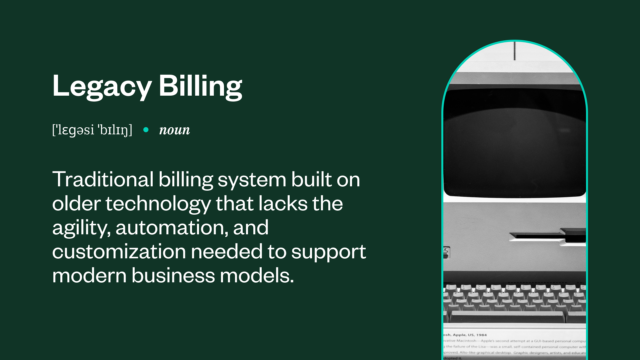
Glossary Hub / Still using a legacy billing system? Discover a better way to bill

Still using a legacy billing system? Discover a better way to bill

legacy_billing

Customers expect businesses to offer convenient and secure payment options. However, many companies still rely on outdated legacy billing systems that cannot handle customer demands, requiring clients to jump through hoops to pay their bills. These legacy systems often can’t support dynamic pricing models, real-time analytics, integrations, and other time-saving features that improve the billing process.

While legacy billing systems slow down finance teams, switching away from these platforms can be challenging. Still, the cost of sticking with these outdated systems is too high, especially in today’s competitive environment. If your billing platform struggles to keep up with your growth goals, it’s time to try a more innovative solution.


TL;DR

This article explains what a legacy billing system is and why it slows growth, creates inefficiencies, and holds companies back from scalability and success in a world moving to subscriptions, real-time analytics, and automation.

It outlines the operational, customer experience, security, and compliance risks of clinging to outdated, manual, or rigid billing tools, especially as customers now expect digital‑first billing and flexible monetization models.

Finally it covers what a future‑ready billing system should look like—with automation and AI for invoicing, fraud detection, and analytics—and addresses migration considerations, noting that moving off legacy can be challenging but is made far easier with a feature‑rich platform and white‑glove implementation support.

What is a legacy billing system?

A legacy billing system is an outmoded software for managing billing and invoicing. Most legacy systems use older programming languages and technologies that, while still technically functional, make them difficult to maintain, upgrade, or integrate with other solutions.

legacy_billing_system

They share other characteristics, including:

On-premise deployment: Most legacy systems work on-premise on company-owned servers. While this setup can improve your security posture, it’s costly to maintain, especially as your business evolves.

Rigid architecture: Legacy billing systems struggle to scale or change over time. They are limited in their ability to support new integrations, customizations, or different pricing strategies, forcing your organization into outdated ways of doing business.

Manual processes: Legacy infrastructure depends on human input for data entry, invoice generation, and reconciliation. Asking your finance team to work on these low-value tasks reduces employee productivity and could even contribute to attrition.

Integration issues: Integrations combine all your systems to minimize effort and improve efficiency and accuracy. However, legacy systems are outdated and can’t securely integrate with other tools, requiring your team to jump between multiple solutions and platforms. At scale, this leads to both lost time and a greater potential for error.

While legacy billing systems are far from ideal, many industries still rely on them, such as:

Telecommunications and utilities: Usage-based businesses — especially those owned by the government or local municipalities — tend to use legacy systems to handle metered billing cycles and complex consumption-based pricing. Switching these platforms can be tremendously disruptive without the right migration plan, which is why many utility companies opt to keep their legacy systems in place.

Insurance: Established insurance firms often maintain legacy billing solutions for policyholder billing and processing claims-related charges.

Software as a service (SaaS): Established SaaS companies sometimes retain the same legacy billing system for years. SaaS is known for innovation and flexibility on the customer-facing side, but some businesses continue to use years-old billing solutions on the back end.

Challenges of using a legacy billing system

According to the US Government Accountability Office, the government spends $100 billion on IT, largely to maintain legacy systems. Businesses in the private sector — especially enterprises — also spend time and resources managing these outdated systems, which is often more than the cost of migrating to a modern solution.

Many organizations continue using legacy billing systems because they fear disruptions from the migration process. Others might be locked into long-term contracts that make switching vendors more complex. Regardless of the reason, continuing to use legacy systems for billing creates many problems for businesses, including:


A lack of flexibility: Legacy systems are often hardcoded and rigid, making subscriptions, usage-based pricing, or hybrid billing models difficult. As customer demands change over time, businesses using these outdated systems will struggle to innovate or personalize billing.

Operational inefficiencies: Legacy platforms often require inefficient manual effort for data entry, invoice generation, and reconciliation. These labor-intensive processes increase the risk of errors, lead to delayed payments, and drive up operational costs.

Scalability issues: Legacy systems can’t support high-volume transactions or rapid growth. This setup might work while your company is small, but if you have plans for global expansion or new business models, a legacy billing system will limit your earning potential.

Integration problems: Legacy billing systems don’t integrate smoothly with critical business tools like CRM, ERP, payment gateways, and customer support platforms. These integration issues lead to data silos, inefficient workflows, and a disjointed customer experience.

Security and compliance risks: Outdated technology can expose your business to cybersecurity vulnerabilities and compliance gaps. Many legacy systems don’t meet modern standards for data protection (for example, GDPR) or financial regulations like ASC 606, putting your company at risk of fines or reputational damage.

Signs your business needs to replace its legacy billing system

Legacy billing systems can’t keep up with the complexity and speed of today’s market. But, maintaining these platforms becomes untenable at a certain point, forcing organizations to make the switch. Ideally, businesses should migrate platforms long before it becomes urgent. Here are some key indicators that it may be time to replace your legacy billing system:


Frequent billing errors or customer complaints: If your team is constantly troubleshooting invoice inaccuracies or fielding customer complaints, your legacy system will likely create more problems than it solves.

Inability to support new pricing strategies: Businesses often rely on flexible pricing models like subscription-based, tiered, or pay-as-you-go. If your system can’t adapt to these strategies, it may be stifling growth and innovation.

High maintenance costs for outdated infrastructure: Legacy billing systems require significant IT resources, expensive patches, and regular upkeep just to stay operational. These hidden costs add up and divert resources that you could otherwise use to grow the business.

Difficulty in integrating with modern cloud-based tools: In today’s tech ecosystem, your billing system needs to seamlessly integrate with tools like CRMs, ERPs, and payment processors. A lack of integration slows down your operations and limits revenue visibility.

Why modern businesses need a future-proof billing solution

Legacy billing systems maintain the status quo and lock organizations into rigid ways of working. Maintaining the same platform may sound like the easier option, but growth-minded businesses need a solution that scales with their ambitions. Migration does take effort and careful planning, but opting for the right upgrade ensures your organization avoids the expense of legacy systems.

Businesses can no longer afford to support these outdated systems. A future-proof billing solution allows your organization to:


Offer subscription- or usage-based pricing: Customers want flexibility, and businesses are responding with subscription-based and usage-based pricing models. Whether you’re in SaaS, telecom, or digital media, modern recurring billing systems make it easy to launch, modify, and scale these innovative models without custom development or expensive workarounds.

Generate real-time reports: Legacy systems struggle to deliver real-time insights. On the other hand, modern billing platforms have live dashboards, automated revenue recognition, and customizable reports that empower finance teams to make data-driven decisions.

Use automation and artificial intelligence (AI): From automated invoicing to AI-driven fraud detection and predictive analytics, future-ready billing systems dramatically reduce manual work and improve accuracy.

Why Zuora billing is the best solution to replace your legacy billing system

Migrating from a legacy solution can be challenging, but opting for a feature-rich tool with expert, white-glove service makes the process seamless. Zuora is a future-ready solution that allows your business to finally put legacy billing systems to rest. Zuora offers everything you need to transform operations and stay competitive, including:


A cloud-based solution: Zuora is a cloud-native platform that eliminates the need for costly on-premise infrastructure. Whether scaling up across regions or launching new services, Zuora grows with your business — no hardware headaches or performance bottlenecks.

Flexible pricing models: From simple subscriptions to complex usage-based, tiered, or hybrid pricing structures, Zuora allows you to innovate and monetize however you choose, without relying on developer support.

Seamless integrations: Zuora integrates with popular CRM, ERP, tax, and payment platforms. This feature enables the smooth flow of data between solutions, creating a unified ecosystem that streamlines operations.

Automated compliance: Automate invoicing, payment collection, revenue recognition, and more with Zuora Billing. With built-in support for standards like ASC 606 and IFRS 15, the modern platform helps you stay compliant while reducing manual work and human error.

Zuora Billing is an established solution trusted by businesses of all sizes and industries to handle their billing needs. It’s a platform built for complex billing at scale, with a proven track record of reliability and innovation.

Upgrade billing to unlock growth

Customers expect the convenience of digital-first billing. Maintaining a legacy billing solution not only hurts their experience but also damages your business through ineffective processes, security issues, and compliance risks.

The shift toward subscription-based models, real-time analytics, and automation requires a billing solution that’s built for the future, not stuck in the past. Zuora Billing offers the flexibility, scalability, and intelligence your business needs to start fresh after switching from a legacy billing system.

Request a Zuora Billing demo today to replace your legacy system with ease.

Legacy billing FAQs

How can we tell if our billing system is “legacy” beyond just its age?

Warning signs include: heavy spreadsheet usage to “fix” invoices, frequent manual workarounds for new products or pricing, long lead times for simple changes, limited API connectivity, and difficulty supporting hybrid or subscription models. If billing constraints regularly drive product decisions, you’re in legacy territory.

What are best practices for planning a migration off a legacy billing system?

Treat it as a business transformation, not just an IT swap: define target business models and pricing first, map all upstream/downstream integrations, phase migrations by product/region, and run legacy and new systems in parallel for at least one billing cycle to validate data, taxes, and revenue rules before cutover.

Which stakeholders should be involved in replacing a legacy billing platform?

You’ll need a cross‑functional team: Finance (billing, AR, revenue), IT/architecture, Product/Monetization, Sales Ops/RevOps, and Customer Support. Executive sponsorship from the CFO or COO is critical to resolve trade‑offs and ensure that the project is driven by strategic outcomes, not just technical parity.

How do we quantify the ROI of moving away from legacy billing?

Look at:

  • Manual FTE hours spent on invoicing, adjustments, and close.
  • Error rates, write‑offs, and revenue leakage.
  • Time‑to‑launch for new products or pricing.
  • DSO and cash‑flow improvements after automation.
    These metrics create a before/after view that captures both direct savings and growth unlocked by faster experimentation.

What data challenges should we anticipate when leaving a legacy billing system?

Common issues include inconsistent customer IDs, incomplete usage history, incorrect tax or currency handling, and lack of a clean product catalog. Plan for data profiling and cleansing, clear rules on what historical data you truly need to migrate, and reconciliation routines to validate balances and open items.

Can we keep parts of our legacy billing stack and modernize gradually?

Yes—many companies adopt a two‑speed approach: route new products, geographies, or pricing models through the modern platform while gradually back‑migrating older offerings. This reduces risk and lets teams prove value quickly, as long as reporting is designed to consolidate results across old and new systems during the transition.